BoredomBusted — Find Your Next Favorite Thing To Do
Discover hobbies, activities, places, and ideas that spark joy. Whether you're looking for something creative, active, social, or relaxing, BoredomBusted helps you find your next favorite thing to do.
Browse our hobby guides, things-to-do collections, and place ideas to never be bored again.
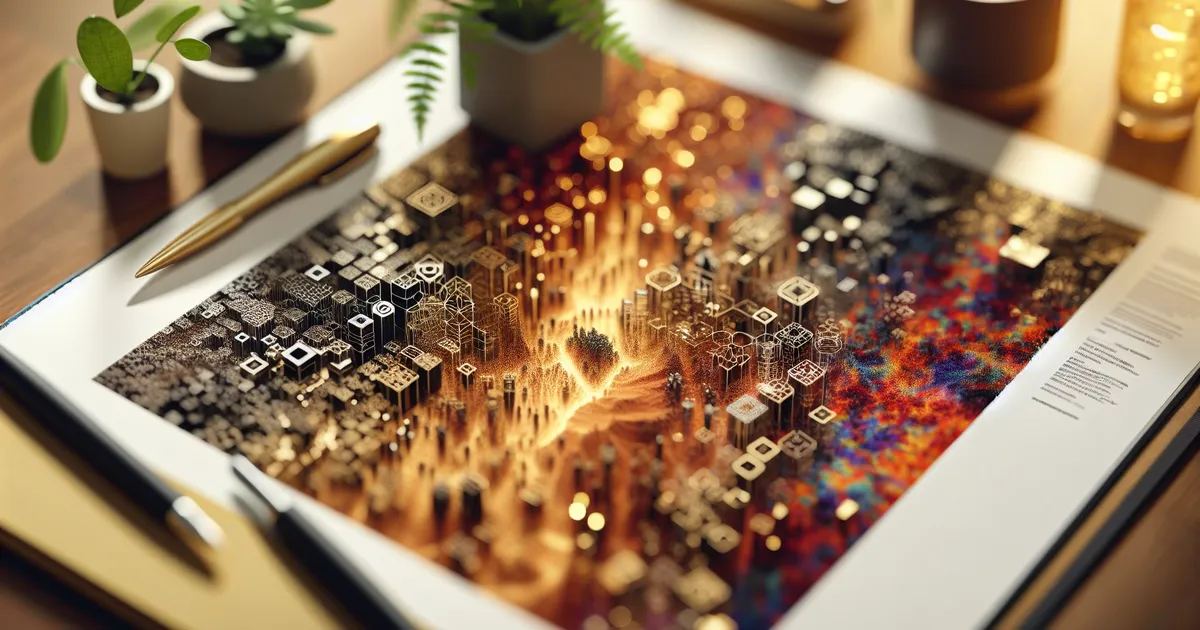
3D modeling isn't just for pros — it’s as accessible as designing a custom phone stand in your living room, and the software is often free.
Getting started with 3D modeling and CAD as a beginner opens up a world of creativity and precision, allowing you to design three-dimensional objects right on your screen – either for artistic renders or precise, manufacturable parts.
You build shapes by manipulating geometry in software, then export files for printing, animation, or fabrication.
Unlike drawing or painting, what you make can exist physically – printed, cut, or machined into real objects.
In 3D Modeling / CAD, you use software like SolidWorks or SketchUp to create digital 3D models from technical prints, involving actions such as sketching precise 2D profiles, extruding shapes into 3D solids, and performing boolean operations to refine your designs. You iteratively troubleshoot and refine your models, focusing on accuracy and efficiency as you tackle increasingly complex projects.
3D Modeling / CAD engages you through skill feedback loops, where immediate software validation—like successful extrusions or accurate mass calculations—fuels motivation and progress. This hobby also fosters a flow state by escalating complexity without overwhelming you, while the sense of accomplishment from creating tangible models and the creative expression involved keep boredom at bay.
You think 3D modeling is for engineers or game developers with computer science degrees and costly software suites.
You see someone in a dimly lit office running simulations, not you designing a custom phone stand on a quiet Tuesday evening.
That assumption is holding back your creativity.
Marco's story brings this to life. In his first two weeks with Fusion 360, he designed a replacement clip for his dog's leash because the original broke and the Amazon option didn't fit. He printed it for $0.40.
It fit perfectly.
He hasn't bought a replaceable household part since.
Blender and Fusion 360 are free. The learning curve is real, but every beginner mistake you'll make already has a fix on YouTube or the Fusion 360 forums — usually posted by someone who made the exact same one.
This hobby is design thinking applied to objects you can hold. If you've ever looked at something and thought, "I'd make this differently," you're already doing the hardest part.
The real question is how long the software actually takes to get useful — and that answer might surprise you.
The screen fills with potential and confusion. Shapes, lines, and tools you barely recognize. Silence, except for your thoughts: 'How does anyone do this quickly?'
Navigating the software is like wrestling an octopus. You move something, it breaks the symmetry, and you hit undo before you even know why. That back-and-forth is the process — the frustration builds your skill, not the tutorials.
By session three or four, a few shortcuts become muscle memory. Familiarity with tools turns the overwhelming interface into something you can actually direct.
The impulse to quit usually hits around session two — right before something clicks. Saving a basic extruded shape feels trivial until you realize you made it from nothing. The gap between 'this is pointless' and 'I can see how this works' is one session wide. The next section covers the specific mistakes that keep people stuck on the wrong side of it.
When to start: Morning
Duration: 1.5 hours
Cost to try: $0 (free software available)
Success criteria: If you extrude one 2D sketch into a closed 3D solid and save the file, do session 2.
Blender is free, popular, and has tutorials everywhere. So beginners pick it — then spend three weeks on sculpting tools when they actually want to print a bracket.
Blender is built for artistic and visual work. If you're making anything mechanical or printable, start with Fusion 360 or FreeCAD instead.
Most beginners drag geometry around freehand. It works until you change one dimension and the entire sketch shifts.
Fully constrain every sketch before you extrude anything. In Fusion 360, black lines are locked down. Blue lines are still floating — and they will move on you.
A mesh can look perfect on screen and still have inside-out faces. Slicers choke on them — and the error message rarely tells you why.
Run a mesh analysis before every export. In Blender, select all geometry and hit Shift+N to recalculate normals outward.
Scale is abstract on day one. Then you print your first part and nothing fits. What looked right on screen was never tied to real-world dimensions.
Set your document units to millimeters before you draw a single line. Retrofitting scale onto a finished model costs more time than starting over.
Beginners want to build something real immediately. That impulse is fine — until the project complexity and the learning curve hit at the same time.
Spend your first sessions on constrained primitives, not passion projects. Make a box exactly 40x20x10mm. Make a cylinder sized to fit an M3 bolt. These exercises are unglamorous — and they're exactly what separates people who get stuck from people who don't.
Your laptop is your studio for 3D modeling and CAD. But the real action is at makerspaces and fabrication labs.
Transform digital designs into physical objects at these dynamic spaces.
At makerspaces, introduce yourself as new to CAD and comfortable with software but lacking print experience. Skip the tech-heavy chat and connect with someone who'll guide you from digital to physical step by step.
Parametric CAD builds models from dimensions and constraints. Change one number and the whole design updates around it.
This is the path for mechanical parts, enclosures, brackets — anything that needs to fit or function in the real world. Fusion 360 has a free personal-use tier and is where most beginners start.
Instead of numbers, you push and pull digital clay. Characters, creatures, and faces come out of this workflow — not brackets or gears.
ZBrush is the industry standard for professional character work, but it costs hundreds of dollars a year. Blender's sculpt mode covers the same ground for free — most hobbyists never outgrow it.
Polygon modeling means directly manipulating vertices, edges, and faces to shape a mesh. It's the foundation of film VFX, game assets, and most professional 3D pipelines.
Maya dominates studios. 3ds Max shows up in architecture and visualization. Both run $250+ per year — Blender does the same work and costs nothing, which is why it's taken over the hobbyist space entirely.
You photograph a real object from dozens of angles. Software stitches those photos into a 3D mesh. The modeling happens automatically — the skill here is in the photography, not the software.
Meshroom is free and runs locally. RealityCapture charges per scan but produces cleaner results on complex subjects. Good for digitizing physical objects, props, or real environments.
Type a description, get a rough 3D mesh back. The output is rarely print- or game-ready, but it can shortcut the early blocking stage of a project.
Most tools offer free tiers. Treat the output as raw material, not a deliverable — every mesh will need cleanup before it's usable.
If you want a related angle, Clay Sculpture is the natural next stop.
If this resonates, Wire Sculpture explores a similar direction.
RC Model Crafting lives in the same world — different mechanics, similar appeal.
Most beginners spend months chasing better software and more complex tools. They build shapes. Not intent. The thing that actually separates improvers from people who plateau is learning to think in constraints before you touch the software.
Parametric thinking means asking "What depends on what?" before drawing a single line. Shelf depth equals half the total width. Wall thickness drives every adjoining face. When you define relationships first, your model updates intelligently instead of breaking the moment one dimension changes.
Without this, you end up with a static sculpture. Impressive. Completely inflexible. Change the wall thickness and the whole thing collapses into disconnected geometry.
Start on paper. Jot down dependencies before opening any software — relationships like "shelf depth equals half the total width." Then move those rules directly into your CAD tool using named parameters: Fusion 360 calls them "Parameters," FreeCAD uses "Spreadsheets." Replace every hardcoded number with a named value.
Once the model is built, intentionally break it. Change a master dimension and watch what holds. Fix every constraint that fails, then change it again. This loop exposes gaps faster than any tutorial will. The next section covers which design variants make this skill matter most.
Schedule 8 sessions over 30 days — two hours, twice a week. That pace pushes you past the disorientation phase into something that starts to feel like actual control.
If you're opening the software between sessions to test an idea that occurred to you in the shower, that's not discipline — that's the hobby pulling you in. Start a structured project immediately, focused on an object you actually want to exist.
If the sessions felt mechanical and you never thought about it in between, the tool might be the mismatch, not the hobby. Add four more sessions and switch software — what stalls in Blender sometimes clicks immediately in Fusion 360.
If opening the laptop felt like a chore and landing a small win produced no reaction, that's a clean answer. 3D modeling runs entirely on the satisfaction of incremental progress — without that, there's nothing to carry you forward.
The sign worth paying attention to: you're photographing everyday objects and mentally tracing how you'd build them. That reflex — reconstructing real things in your head — is exactly what this hobby rewards.
One honest warning: if you need to hold something in your hands within a few hours to feel like time was well spent, this hobby will drain you. Feedback is slow, digital, and cumulative. The payoff is real, but it takes weeks to arrive.
Spatial reasoning matters more here than in most hobbies. People who struggle to mentally rotate or nest 3D shapes hit a wall early and hit it repeatedly — that frustration compounds fast across fragmented sessions where focus never builds.
When you don't want to commit, things to do when bored is a better starting point.
Many professional CAD programs like AutoCAD cost $500+ annually, but free alternatives like Blender, Fusion 360 (free for hobbyists), and TinkerCAD are excellent for beginners. You can start with zero investment and upgrade to paid software once you've developed your skills.
Basic 3D modeling skills can be learned in 2–4 weeks with consistent practice, but becoming proficient typically takes 2–6 months depending on your dedication and the software. Complex architectural or engineering design requires more time, but you'll create functional models much sooner.
A standard laptop or desktop with 8GB RAM, a decent GPU, and modern processor will handle beginner projects fine. For complex designs or rendering, you'll benefit from 16GB+ RAM and a dedicated graphics card, but it's not essential when starting out.
No—many free tutorials and beginner-friendly software like Fusion 360 make CAD accessible to complete beginners. The learning curve is manageable if you start with simple projects and progress gradually to more complex designs.
You can design product prototypes, architectural models, custom parts for 3D printing, mechanical assemblies, and detailed artwork. Many beginners start with simple objects like furniture or gadgets and move into more complex projects like buildings or intricate sculptures.
CAD software focuses on precision and technical design with exact measurements, making it ideal for engineering and manufacturing. Blender excels at artistic modeling and visual rendering—both are powerful, but CAD is stricter about accuracy while Blender offers more creative freedom.