BoredomBusted — Find Your Next Favorite Thing To Do
Discover hobbies, activities, places, and ideas that spark joy. Whether you're looking for something creative, active, social, or relaxing, BoredomBusted helps you find your next favorite thing to do.
Browse our hobby guides, things-to-do collections, and place ideas to never be bored again.
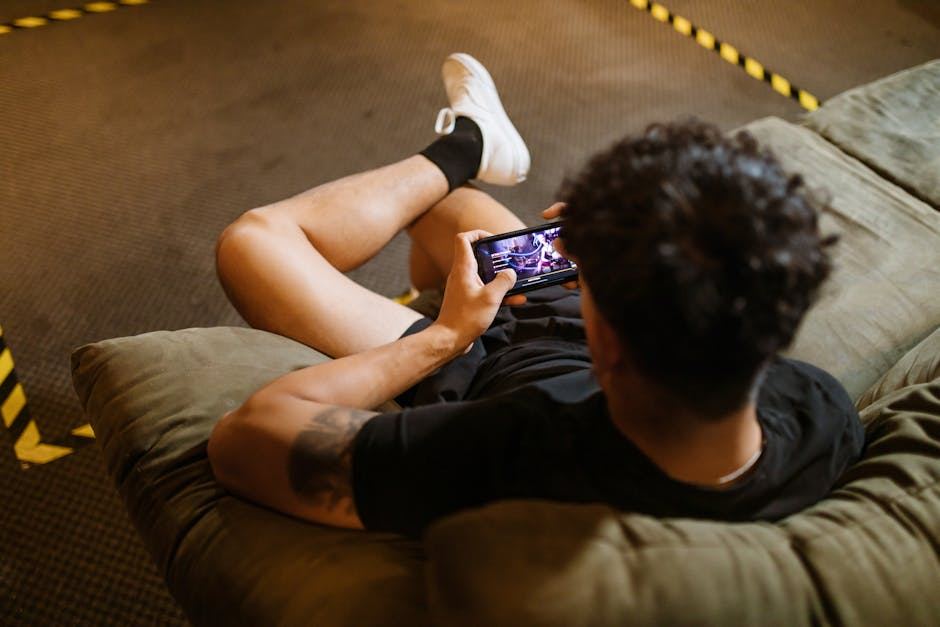
Mobile gaming is dismissed as mere boredom filler — but it hosts deep, intricate games that redefine genres and prove touch controls can enhance complexity.
Getting started with mobile gaming as a beginner offers a variety of experiences, whether you're looking for casual fun or competitive challenges.
You download an app, tap through a tutorial, and you're already mid-session before the Wi-Fi reconnects.
What separates it from console or PC gaming isn't graphics – it's friction.
No setup, no dedicated hardware, no designated time.
The barrier is basically zero.
In mobile gaming, adults engage in real-time decision-making and strategic problem-solving on handheld devices, playing various game types such as strategy, word puzzles, or action games, often for extended sessions that require sustained mental engagement.
Mobile gaming creates a flow state through balanced skill challenges and cognitive novelty, allowing players to experience incremental progression and social interaction, fulfilling their need for mental stimulation and connection.
You think mobile gaming is what people do when they're bored in a waiting room.
Candy Crush, ads every 90 seconds—just a distraction. Mobile gaming is much deeper than you'd expect.
*Monument Valley* is a puzzle game so visually precise and emotionally strange that it gets discussed alongside independent art games from any platform.
It was built for mobile. The touch controls aren't a compromise – they're the point.
The real question isn't whether mobile gaming counts. It's which type of mobile game actually fits how you play – and that's where most people get it wrong from the start.
It looks so smooth when someone else plays — like magic. Perfect timing, no stumbles.
Then you try it yourself and your thumbs fumble. The gap between watching and doing is huge.
In your first week, it's more about wrestling with the controls than the actual game. Each loss feels like a battle with the interface, and some genuinely are.
By the second week, muscle memory starts to develop. You stop needing to watch your fingers, which is unexpectedly crucial.
Week three presents your first real challenge. A boss, a ranked level, something needing true game sense, and many are tempted to uninstall now.
Surviving week three opens the game up by week four. Suddenly, it makes sense why players linger for hours.
Quit sign or progress sign? Week three blurs them.
Progress is always accompanied by something clicking — a mechanic becomes second nature.
Before your first session, disable battery saver and close background apps. Input lag you blame on your skill might just be your phone struggling.
When to start: Morning
Duration: 1 hour
Cost to try: $0 - $10
Success criteria: If you complete one tutorial level and win a match while using every on-screen control at least once, do session 2.
Free-to-play games make buying power-ups seem like an effortless win. They're often anything but.
Wait until you hit a wall you can't pass for free. Research if it's actually pay-to-win before spending.
High graphics seem appealing. Yet, locking your frame rate at 60fps with medium settings is key early on. Doing so improves your speed and accuracy.
Enter the settings. Drop visual quality and enable the frame rate counter.
Most mobile players play games silently, missing critical sound cues. Competitors use this audio to respond faster.
Plug in earbuds. Turn up the game audio before blaming sluggish reactions.
Casual modes offer comfort without real improvement. It's just a repetitive grind.
Switch to ranked play after ten hours. Losing is fine — it's the way you learn.
Default button layouts suit average hands, which yours may not be.
Take fifteen minutes to adjust control settings. Custom layouts often eliminate misfires.
Mobile gaming goes wherever your phone does – play at home, in a café, or on your commute.
Dedicated competitors gather at gaming cafés or esports venues for tournaments and ranked matches.
There's no central organization for US mobile gaming. Activities are coordinated through publishers, tournament sites, and Discord communities.
Introduce yourself as new, and ask for help finding the right rank or skill tier.
This opens a path to resources, coaching, and proper skill brackets tailored for newcomers.
Pick-up-put-down games like Subway Surfers or 2048. Sessions are under five minutes — perfect for filling gaps while the kettle boils.
Cost is practically zero; they're free-to-play with optional ads.
*Clash of Clans* or *Rise of Kingdoms* reward daily dedication.
Great for those who want to mix strategy with a sense of achievement.
Play for free, but monetization can be intense.
Enter worlds like *Genshin Impact* with full narratives and character builds.
Perfect for console RPG fans wanting mobile flexibility.
Free entry but with tempting gacha mechanics.
Use services like *Xbox Cloud Gaming* to stream directly to your phone.
Ideal for users with existing subscriptions seeking more screen options.
Reliable Wi-Fi and a controller clip are musts.
*PUBG Mobile* and *Mobile Legends* focus on ranked and team play.
Pick this if stakes keep you engaged.
Be prepared for hours to disappear.
Readers who enjoy this often gravitate toward Speedrunning next.
For something adjacent, see Retro Gaming.
Some of the same instincts show up in Fighting Game Competition — worth a look if this clicked.
Reading the resource loop is the skill that changes the game. It means understanding what the game gives you, when, and how to use it before you're ready.
Most beginners grind levels, chase scores, and swap gear. But they're stuck in the wrong loop.
They see resources like a bank account full of energy, currency, and materials. But experienced players find the pulse—the rhythm guiding each use—and avoid wasting their progress.
Once you identify the rhythm, you'll stop stumbling into barriers and start timing your moves with the game's flow. Instead of feeling stuck, you'll be capitalizing on opportunities as they arise.
The key isn't grinding more. It's converting resources at the strategic moments that count.
Aim for 20 gaming sessions over a span of 30 days. Play every other day, maybe doubling up once in a while. This pace is key to moving from tutorials to the core gameplay experience.
Constantly reaching for your phone to jump back in? You're likely hooked on the gameplay, not just idly passing time. Time to explore deeper into this hobby by seeking games with new challenges or joining online communities.
If the play sessions didn't register in your day-to-day thoughts, that's a clue. Maybe the genre isn't compatible with what you're interested in. Consider trying a game with a tactile controller for a different experience.
Actively not wanting to open the app is a clear signal. Mobile gaming might not click with you, and that's perfectly fine. Look towards hobbies that offer a break from screens altogether.
Curious about what others are playing? That little urge to see or experience what they're doing indicates a genuine interest. It's more than just passing the time; it's about being part of the experience.
Screen time already an issue? More gaming will likely increase that, not decrease it. If your thumbs or wrists protest after extended play, mobile gaming might aggravate these issues. Plus, if you need natural stopping points, the endless loops of many mobile games can make it difficult to find rest.
Mobile games span multiple genres including action, strategy, puzzle, RPGs, and competitive multiplayer titles. Most games are designed for short play sessions, though some story-driven games support longer immersive experiences. You can choose based on whether you prefer solo adventures, cooperative play, or competitive matches.
Most mobile games are free to download and play with optional in-app purchases. Many successful titles like Candy Crush or Fortnite are completely playable without spending money, though cosmetics and battle passes cost extra. Your actual spending depends on the games you choose and your preference for upgrades.
You can mobile game on any smartphone—iPhone or Android. More demanding games run best on newer devices with higher processing power, but most casual and mid-tier games work fine on budget phones. Check a game's system requirements before downloading if you have an older device.
Mobile games are designed for flexibility—you can play for just 5–10 minutes during a commute or dedicate hours for deeper story games. Most competitive and casual games have natural stopping points every 10–30 minutes, making them ideal for fitting gaming into a busy schedule.
Many mobile games require an internet connection, especially multiplayer and competitive titles. However, plenty of single-player games, puzzles, and story-driven games work completely offline. Check the game's description to confirm connectivity requirements before downloading.
Mobile gaming covers both—titles like PUBG Mobile and Clash Royale feature intense competitive multiplayer with ranked matchmaking and tournaments. Other games like Stardew Valley or Alto's Adventure are purely relaxing experiences. You can find whatever matches your gaming style and commitment level.