BoredomBusted — Find Your Next Favorite Thing To Do
Discover hobbies, activities, places, and ideas that spark joy. Whether you're looking for something creative, active, social, or relaxing, BoredomBusted helps you find your next favorite thing to do.
Browse our hobby guides, things-to-do collections, and place ideas to never be bored again.
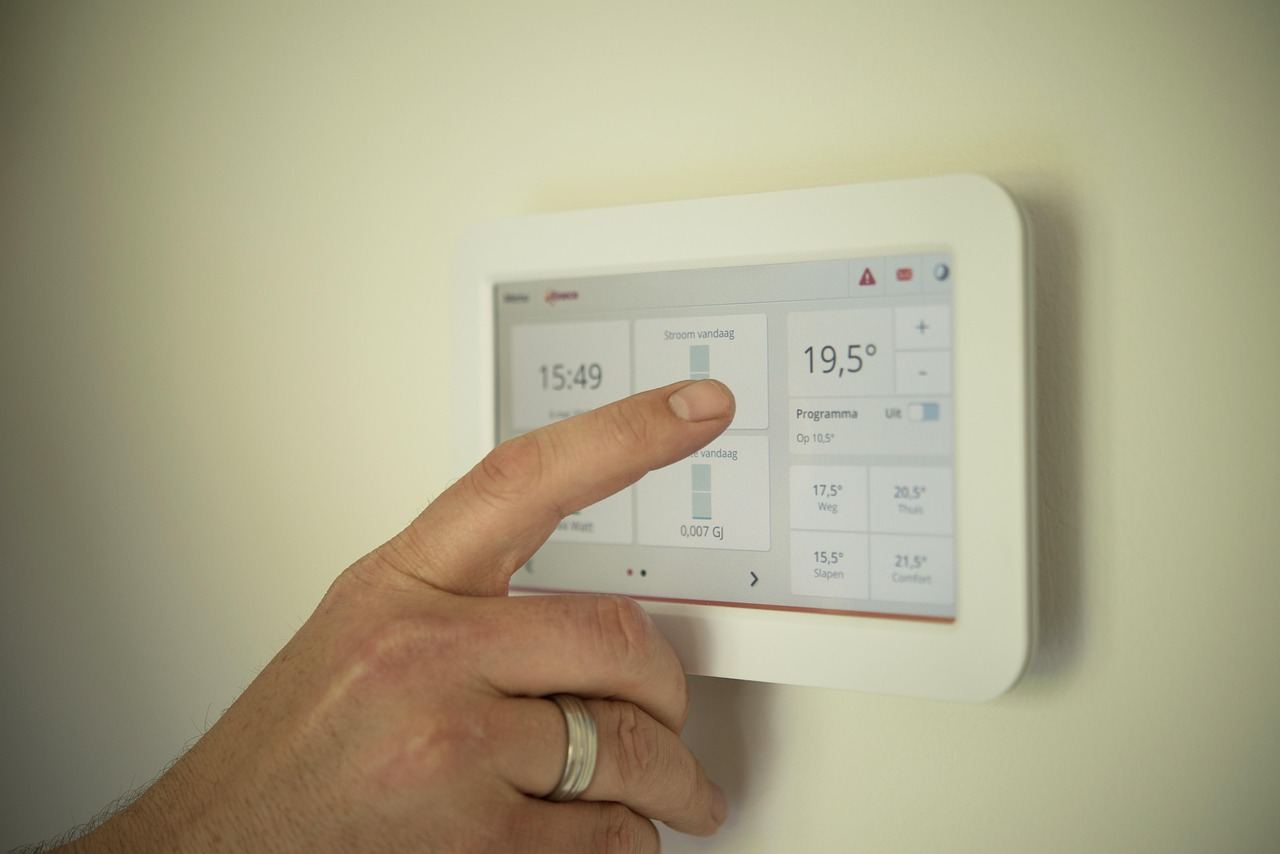
Smart home automation isn't just about remote controls; it's designing a system that anticipates your needs and streamlines daily routines, like brewing coffee at dawn without a button press.
Getting started with smart home automation as a beginner allows you to create a connected living space where devices work together seamlessly. Smart home automation is the practice of connecting household devices — lights, locks, thermostats, cameras — so they respond to triggers, schedules, or each other without manual input.
A motion sensor sees you walk in; the lights turn on, the thermostat adjusts, the coffee starts.
Unlike interior design or DIY home improvement, the satisfaction here is in the logic you build, not the object you install.
In Smart Home Automation, you engage in hands-on tasks like installing and wiring smart devices, configuring software for device interactions, and programming routines that tie together multiple devices based on triggers like motion or time.
This hobby fosters flow states through immersive problem-solving, provides clear skill feedback via immediate automation results, and satisfies creative expression by allowing you to personalize your home environment.
You think smart home automation is about convenience. Flip a light on from your phone. Maybe tell Alexa to play something. That's the whole picture, right?
It's not a remote control for your house. It's a system that acts before you think to ask.
Automation isn't about controlling devices — it's about removing decisions entirely. The light doesn't turn on when you ask; it turns on because it knows you just got home and it's dusk. You're writing simple conditional rules that respond to your actual life patterns, not a generic "smart home" template.
And it compounds. One automation makes two others possible. Six months in, you've built something that genuinely reflects how you live.
Take a real setup: the morning alarm fires at 6:30, and without touching anything, the thermostat bumps three degrees and the coffee maker starts. The bathroom light eases on at 40% — because full brightness at that hour is a punishment.
Nobody programmed a "morning routine button."
Three triggers.
Three devices.
That's the moment people stop thinking of this as a tech hobby and start thinking of it as design — a system you shaped around how you actually move through your day, not a showroom demo running on someone else's schedule.
Getting there is simpler than the subreddits make it look. The starting point matters more than the gear.
The YouTube videos make smart homes look magical. Tap your phone, and instantly, lights dim, music starts, and doors lock as if on cue.
Reality hits when the app can't find the bulb just six inches away. You're excited, having watched setup videos and envisioned a futuristic home. Already planning automations. Ready to dive in.
Then comes the humbling realization that tech isn't clean. You connect one bulb, restart the router twice, and discover incompatible ecosystems. Yet, you're weirdly hooked.
Your Wi-Fi band influences success more than your budget. Most smart devices only work with 2.4GHz. If the router combines both bands into one network, your phone might miss their signals. Split them early. It's a quick setting that prevents hours of frustration.
First, nothing works. Then one thing works. Suddenly, the rest matters more. This shift from purchasing devices to creating a smart home is the thrill of the journey.
When to start: Morning
Duration: 1.5 hours
Cost to try: $30
Success criteria: if you finished without major technical issues, do session 2.
Sales on smart gadgets are tempting. But buying random devices means dealing with multiple apps that don't connect.
Start with a platform like Google Home, Amazon Alexa, or Apple HomeKit and stick to it. Choose gadgets that are clearly compatible.
You want your lights to follow you around the house, but flaky Wi-Fi can make things chaotic.
Run each device manually for a week. Ensure reliability before setting up smart routines.
Your router struggles with 20+ devices on one band. This can slow your entire network.
Create a separate 2.4GHz network just for smart devices. It's a quick fix any router can handle.
Don't automate your coffee maker right away while ignoring more useful tasks like porch lights.
Track your manual interactions for a week. Automate only the top three that would save you the most effort.
Your app lists 'Light 1' and 'Bedroom Bulb,' making voice commands inconsistent.
Name devices with Room + Type + Position. It keeps everything tidy and predictable.
Smart home automation is a DIY playground, whether it's in your apartment, house, or rented room. Even home workshops offer possibilities, especially for those building custom hardware alongside software projects.
Connectivity Standards Alliance (CSA) manages the Matter standard and offers resources at csa-iot.org. While it's the closest to a national body, you won't find a single governing entity.
Mention you're just starting out. Get specific, opinionated advice from seasoned hobbyists instead of sales pitches, avoiding common pitfalls.
Everything revolves around a voice assistant like Alexa, Google Home, or Siri. Just talk to your house — no code or apps involved. Ideal for beginners seeking quick results within an afternoon.
Manage everything through a smartphone dashboard using platforms like Apple Home, Google Home, or SmartThings. Get precise control where you can create conditional rules, offering more than voice commands can achieve.
Everything stays on your home network, away from the cloud or third-party servers. Your system works offline and keeps your data personal, perfect for those wary of cloud dependencies. Prepare for a higher setup learning curve and invest in hardware like Home Assistant on a Raspberry Pi or mini PC ($50–$150).
Welcome to the deep end with Home Assistant or Node-RED. Write automations in YAML, connect APIs, and build impressive dashboards. Perfect for those who find the process as satisfying as the outcome. Here, the smart home itself is the hobby.
Start with one room or issue, like cutting vampire power with a smart plug or using a motion sensor for late-night hall lights. This approach fits most people, and you can expand easily. No hub needed, and the cost can be under $30.
Readers who enjoy this often gravitate toward AI Chatbot Building next.
A close neighbor worth considering: AI Automation.
Conditional logic thinking is what actually transforms your smart home.
Most beginners spend months adding devices. The collection grows. The home doesn't get smarter.
Reading your home's state before triggering an action separates basic setup from true automation.
Automation is turning on a light at sunset. A smart home does it only if someone is home, the TV is off, and it's not a weekend. Stacking conditions, not devices, is the key.
Without this skill, your automations can conflict, override each other, and frustrate more than help.
With it, your home feels intuitive, like it's anticipating your needs by truly reading the room.
Every gadget you own becomes more effective without extra purchases.
Try 8 sessions over 30 days. Roughly two per week helps you get past initial setup hassles and into real automation. By the end, you'll know if you want to keep exploring or not.
If you find yourself constantly mulling over new automations, connections, and routines, you're in. The urge to refine and solve is key. Set a project goal for the next month and dive deeper.
Feeling indifferent after the sessions often means you're missing the deeper challenge. Experiment with breaking something and fixing it. This process might hook you once you experience the problem-solving thrill firsthand.
Dreading each session signals a deeper mismatch. Configuration woes can be frustrating but feeling like it's unwanted work is a clear message. Move on — not every hobby fits everyone.
The sign you shouldn't ignore is when you're switching between r/homeassistant and YouTube late at night just for ideas. If the notion of your lights operating themselves draws you in, that's your brain giving you the green light.
For ideas that take five minutes instead of five weeks, see things to do when you're bored.
Entry-level smart home setups can start as low as $100–$300 with basic smart bulbs, a speaker, and a hub. Mid-range systems including lighting, security cameras, and thermostats typically run $1,000–$3,000, while comprehensive whole-home automation can exceed $5,000 depending on your home's size and desired features.
At minimum, you'll need a smart hub (like Amazon Echo or Google Home), smart devices (bulbs, switches, thermostats), and a reliable Wi-Fi network. Most systems are expandable—start with one or two devices and add more as you become comfortable with the technology.
Most consumer smart home devices are designed for easy setup—typically plug-and-play installation with guided smartphone app instructions. If you're comfortable connecting to Wi-Fi and downloading apps, you can set up basic systems yourself without professional help.
A basic setup with a few devices takes 1–2 hours. Building out a more comprehensive system with multiple rooms and integrations usually takes several weeks or months as you gradually add and customize devices based on your needs and preferences.
Yes, most devices are compatible through standards like WiFi, Bluetooth, or universal platforms like Amazon Alexa, Google Home, and Apple Home. However, some brand-specific features and automations work best within the same ecosystem, so check compatibility before purchasing.
Smart homes improve energy efficiency by automating heating, cooling, and lighting based on occupancy and schedules, leading to lower utility bills. They also enhance home security through remote monitoring, automated locks, and cameras, plus offer peace of mind through alerts and remote access when you're away.