BoredomBusted — Find Your Next Favorite Thing To Do
Discover hobbies, activities, places, and ideas that spark joy. Whether you're looking for something creative, active, social, or relaxing, BoredomBusted helps you find your next favorite thing to do.
Browse our hobby guides, things-to-do collections, and place ideas to never be bored again.
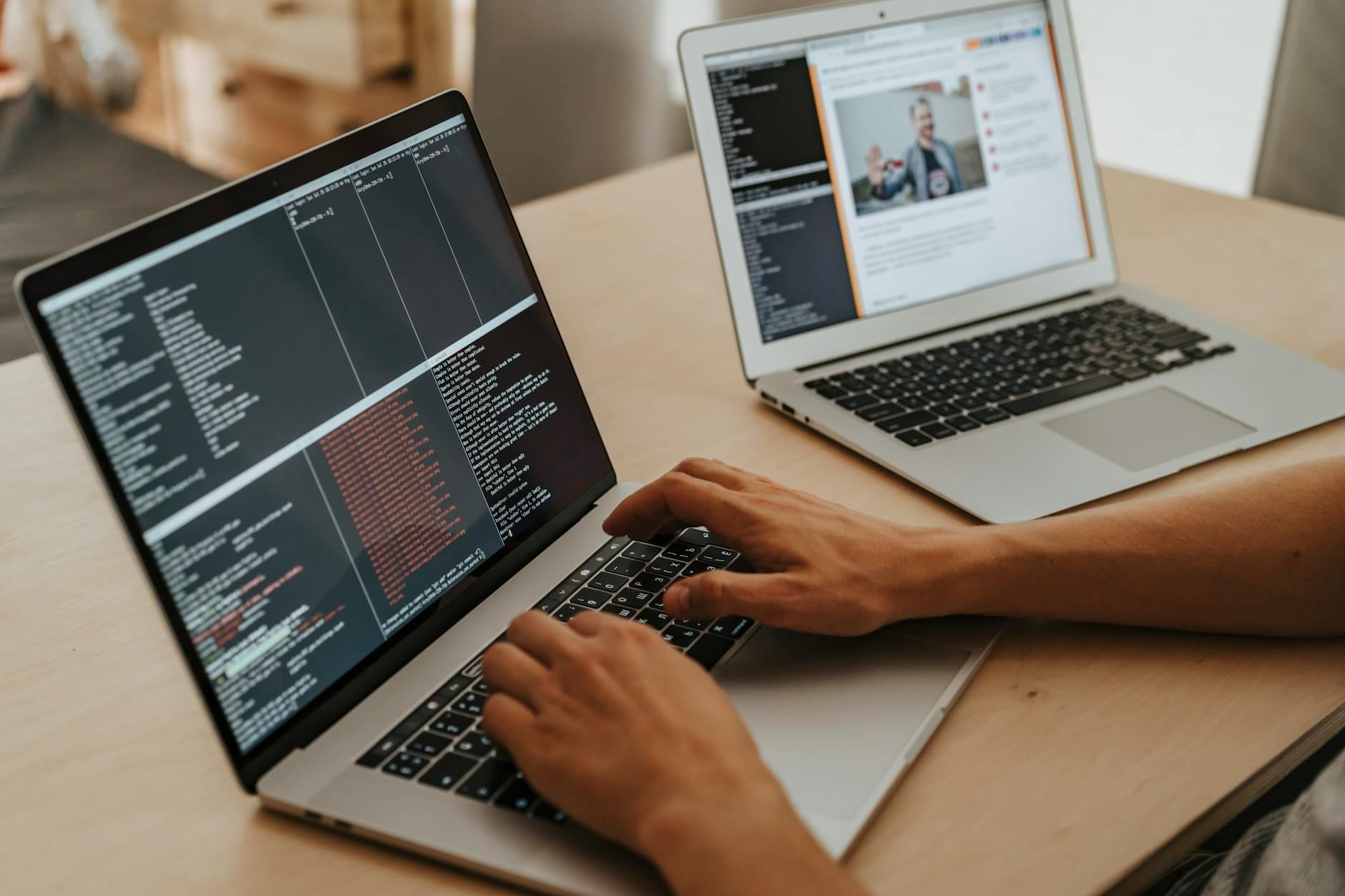
Web development isn't just coding; it's a design puzzle where choosing colors and layouts can be as tricky as syntax — you need a clear project to thrive.
Learning web development as a beginner involves understanding how to build websites and web apps from scratch using code to control what people see (HTML/CSS) and how it behaves (JavaScript, back-end languages).
Unlike graphic design or no-code tools, you're writing the actual instructions the browser executes – which means nothing is hidden behind a drag-and-drop interface you can't fully control.
In web development, you write code using HTML to structure content, CSS to style it, and JavaScript to add functionality, testing your work in real-time by refreshing a browser to see updates like layout changes or interactive features. This involves typing, debugging code, and deploying projects to platforms like GitHub Pages for feedback from online communities.
Web development triggers flow state through immediate skill feedback loops where you see instant results from coding changes, sustaining engagement as you tackle challenges and refine your skills, while also providing a sense of accomplishment from completing deployable projects that others can use.
You think web development is writing code until something works. You've pictured late nights, Stack Overflow tabs, maybe a bootcamp you'll never finish.
That assumption is costing you the actual picture.
Web development is a design problem as much as a logic problem. Every decision about layout, color, and structure is intentional — you're not filling in blanks, you're making choices that shape what someone else experiences.
Most beginners spend month one thinking they're bad at code. Actually, they just don't know what to build yet. Scoping a project is half the work — and nobody tells you that upfront.
The "it's all math and logic" stereotype evaporates fast. The people who stick with it longest aren't the syntax obsessives. They're hooked on the feedback loop — the moment a broken layout suddenly snaps into place.
A friend who builds sites for local businesses doesn't think of herself as a programmer. She thinks of herself as someone who solves the problem of a bakery being invisible online. The code is just the tool she picked up to do that.
No CS degree required.
No bootcamp necessary.
Just a clear first project and the right starting tools — which is exactly what the next section covers.
Watching someone build a website looks like typing with confidence. You sit down, open a blank file, and realize you don't know where the cursor is supposed to go. That gap – between watching and doing – is the whole first month.
Week one moves fast. HTML is just labels, and your first page will look like 1997 on purpose – that's fine. Then CSS arrives, and suddenly nothing sits where you put it. Layout is genuinely confusing before it clicks, and that confusion is not a sign you're doing it wrong.
Week three shifts from visual to logical. JavaScript error messages will tell you almost nothing useful at first. The blank screen, the broken output, the tutorial that no longer applies – debugging is the actual skill nobody mentions until you're already stuck in it.
Open your browser's DevTools on day one and keep them open. The Console tab shows you exactly what broke and on which line. Most beginners ignore it for weeks while the answer sits right there.
By week four, something small will actually work – and it will feel disproportionately good relative to how simple it is. That feeling is real, and it's the reason people keep going. The next section covers the mistakes that delay that moment longer than anything else.
When to start: Early morning
Duration: 1 hour
Cost to try: $0
Success criteria: if you finished without completing a full webpage, do session 2.
React and Vue look exciting, and every job posting mentions them – so beginners skip straight there.
Build one complete static page using only HTML and CSS before you touch a single framework.
Tutorials make it easy to get something working without understanding why it works.
Beginners treat layout decisions and visual choices as one problem – they're two separate problems that will wreck each other if you mix them.
Sketch your layout on paper first, lock it, then open your editor.
Googling a fix feels like cheating, so beginners sit with a broken project for hours.
Set a 20-minute rule – if you're still stuck, read the MDN documentation for that specific element or property, not a random forum post.
Your laptop at full width is not your user's phone at 375px – and mobile is where most traffic actually lives.
Before calling anything finished, resize your browser window to 375px wide and fix everything that breaks.
Web development is almost entirely location-independent — your laptop works anywhere. That said, building with other people accelerates everything. A library study room or coworking space gets you out of the house and into a room with people on the same path.
The single most useful move is searching freeCodeCamp's Study Group directory at study-group.freecodecamp.org. It's organized by city and connects you directly with people working through the same curriculum.
Beyond that, three other places are worth checking:
There's no national governing body for web development — freeCodeCamp is the closest nonprofit equivalent, and the W3C sets the standards, but neither runs local clubs. Walk into any of these groups and say: "I'm just starting out — I know basic HTML but nothing beyond that." That one sentence gets you pointed to the beginner track and paired with someone further along.
Frontend development is layouts, buttons, animations — the entire visual layer. No backend knowledge required to start, which makes this the clearest on-ramp for beginners.
HTML, CSS, and JavaScript are free. Start here.
Backend development is the logic underneath — servers, databases, data users never see. Built for people who prefer systems thinking over visual design.
You'll need a language like Python, Node.js, or PHP. Add basic database concepts on top of that.
Full-stack is frontend and backend combined — which sounds like twice the work, because it is. Best for people who want to build solo or make themselves harder to ignore on a job application.
Expect a longer runway before things click.
No-code and low-code tools like Webflow, Bubble, and Framer let you build real, functional websites without touching much — or any — code. The fastest path from idea to live product for designers, entrepreneurs, or anyone who can't afford a long learning curve.
Tools range from free tiers to ~$25/month depending on what you're building.
Most of the web still runs on WordPress. Building and maintaining CMS-based sites is genuinely employable — and underestimated by people chasing shinier tools.
It's not glamorous. It pays.
If the texture of this appeals to you, Auto Repair is built on similar bones.
If the texture of this appeals to you, Programming is built on similar bones.
Some of the same instincts show up in IoT Projects — worth a look if this clicked.
Most beginners grind tutorials, copy code, and wonder why nothing sticks.
The thing they're optimizing – memorizing syntax – isn't the lever.Reading code you didn't write is.
The skill is code literacy: the ability to open an unfamiliar codebase, trace how data moves through it, and understand why a decision was made – not just what the code does.
It's the difference between following a recipe and understanding why the heat is set where it is.
Once you can read code fluently, Stack Overflow stops being a copy-paste machine and starts being a teaching tool.
Every open-source project becomes a free masterclass in how real, production-level decisions get made.
Without it, you'll keep building the same beginner project fifteen different ways and calling it progress.
Commit to 12 sessions over 30 days — roughly three per week, each one hour minimum.
That number matters because web development has a real learning curve in the first two weeks that flattens dramatically by week three. Quitting before session 8 means you quit during the hard part, not after a fair test.
If you keep opening your editor after the session ends — tweaking a color, wondering why the button won't center — that's not obsession. Problem-solving feeling rewarding rather than draining is the signal. Pick a small project that scares you slightly and start it now.
If you finished all 12 sessions and feel nothing either way, check what you actually built. Indifference to guided tutorials is normal — indifference to your own project is data. Extend by two weeks, drop the courses, and build one ugly, broken thing from scratch before you decide.
If you dreaded opening your laptop — not "this is hard" dread, but genuine indifference to what the code does — that's a clean answer. Web development rewards people who find the puzzle inherently interesting, not people waiting for interest to arrive. Pushing through won't close that gap.
You're in a restaurant, phone in hand, looking at a menu site — and you're already thinking about how it was probably built. That unprompted noticing, in moments that have nothing to do with learning, is the clearest early signal there is.
It doesn't mean you'll be great at it. It means your brain is already treating this as a domain worth paying attention to.
If you need quick, visible creative payoff — pottery done in an afternoon, a drawing finished in an hour — early web projects taking days to look like anything will feel like punishment, not progress. That gap is real and doesn't shrink fast.
If your schedule can't hold three focused, distraction-free hours per week, the skill won't compound fast enough to feel rewarding. Fragmented 10-minute sessions don't work here the way they do with language learning or sketching.
If sustained abstract thinking causes real cognitive fatigue — not boredom, but actual exhaustion — debugging and logic chains will feel punishing, and that gap doesn't close with practice.
When you're ready to compare options, the hobbies list lays out every direction we cover.
Most beginners can grasp the fundamentals of HTML, CSS, and JavaScript in 3–6 months with consistent practice. Full proficiency to build complex, production-ready websites typically takes 1–2 years depending on how much time you dedicate and your prior coding experience.
You only need a computer, a free text editor (like VS Code), and a web browser. No expensive software or hardware is required—most learning resources and tools are free or have affordable paid tiers.
Web development has a gentle learning curve for beginners—HTML and CSS are relatively straightforward. JavaScript introduces more logic-based thinking, but thousands of tutorials and supportive communities make it accessible for anyone willing to practice.
Learning web development is often free through resources like freeCodeCamp, MDN Web Docs, and YouTube tutorials. Paid courses ($10–$50) and bootcamps ($1,000–$15,000) offer structured learning, but they're optional investments, not requirements.
Yes, beginners can build functional websites with HTML, CSS, and basic JavaScript within weeks of starting. These might be portfolio sites, landing pages, or simple interactive projects—perfect for building confidence and showcasing your work to potential clients or employers.
Web development skills open doors to roles like frontend developer, full-stack developer, freelance web designer, or web developer. You can work for companies, agencies, or independently while maintaining flexibility in project selection and work arrangements.