BoredomBusted — Find Your Next Favorite Thing To Do
Discover hobbies, activities, places, and ideas that spark joy. Whether you're looking for something creative, active, social, or relaxing, BoredomBusted helps you find your next favorite thing to do.
Browse our hobby guides, things-to-do collections, and place ideas to never be bored again.
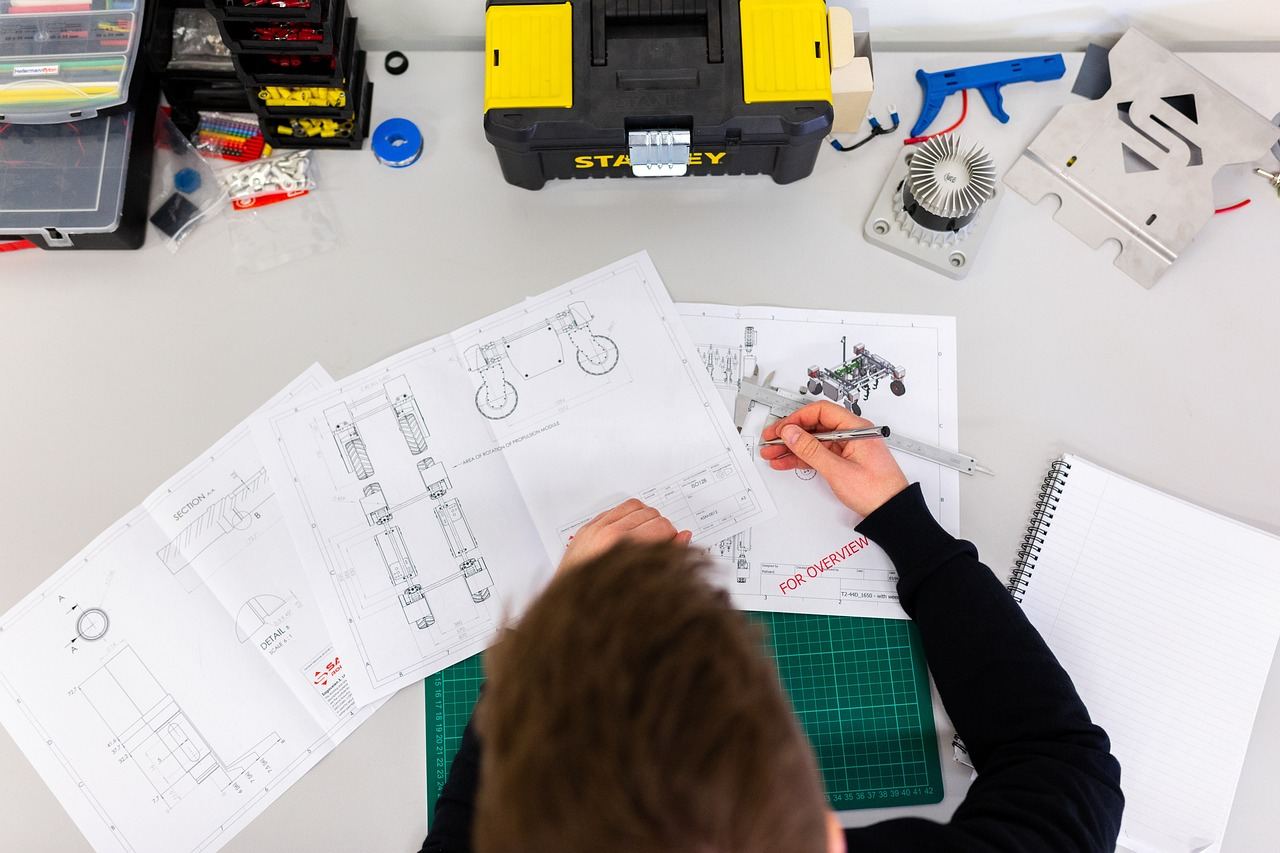
Robotics is more than coding and mechanics—it's the flow state of personalized projects that keeps boredom at bay and fuels creativity.
Learning robotics as a beginner involves understanding how to build machines that can sense their environment and respond to it – using code, electronics, and physical structure working together.
Unlike RC cars or model kits, you're not following a fixed design – you're solving a problem that has no instructions on the box.
In robotics, you physically assemble components like motors and sensors, program their interactions using languages like Python or C++, and iteratively test and troubleshoot your designs in a personal workspace.
Robotics induces a flow state by providing skill-matched challenges, where the immediate feedback from your robot's actions fosters a sense of accomplishment, while the creative aspect of personalizing projects keeps engagement high.
You think robotics is for engineers. Or at least people who were good at physics in school.
That assumption is keeping you from a hands-on hobby you could start this weekend.
A fourteen-year-old with a LEGO Mindstorms kit once built a functioning Braille printer for her school's accessibility fair. No prior coding. No engineering background. Just a problem she cared about and a kit that cost less than a video game.
The real question isn't whether you're technical enough.
What could you build if someone gave you the parts?
The thrill of watching a competition robot skillfully stack blocks is intense. That excitement quickly changes as you open your first kit. All focus shifts to matching screws with brackets.The quiet truth is that this gap between seeing and doing humbles most beginners.
Initially, it seems like robots follow your commands effortlessly. After all, you've seen countless videos online. How hard could it be? Soon enough, you realize the code executes perfectly. That's when the real challenge begins—debugging means questioning your assumptions until they crack.
The first week feels triumphant when you build something mobile. Then confusion hits as it stops without explanation.
By week two, you start seeing mechanical and software issues as separate problems. Frustration doubles as you learn to identify each one.
Week three brings success with something finally working reliably. Naturally, you break it soon after trying for more.
Rebuilding no longer feels like failure by week four. Starting over becomes a learning opportunity instead.
It cycles endlessly—nothing works, check wiring, repeat. This isn't incompetence, just what the learning cycle feels like before understanding clicks.
One critical insight before diving in: servo motors and DC motors aren't interchangeable. If you don't match them correctly with your microcontroller, prepare for two sessions of confusion and nothing moving.
When to start: Early morning
Duration: 1 hour
Cost to try: $20
Success criteria: If you upload a modified Arduino sketch that changes one variable and makes the onboard LED or example output visibly change, do session 2.
Component bundles seem like a time-saver. But with 200 pieces, beginners freeze without knowing their importance.Start simple: one microcontroller, one LED, and one resistor. Wire the blink sketch first. Earn your way to the next part.
Diagrams intimidate, so beginners guess connections from video thumbnails, wasting time on errors like reversed diodes.Draw your circuit first, using paper or Tinkercad. Simulate to spot shorts before touching any wires.
It feels productive to write motor control code, but incorrect wiring hides your progress.Test each component independently. Move a servo with a five-line test sketch before integration.
Beginners chase autonomous navigation immediately, only to stop when wobbles and sensor failures overwhelm.Focus on one simple, reliable task. Master stopping at a wall before adding complexity.
Ignoring shared ground can reset your microcontroller mid-run with no warning.Check the ground rail first for erratic behavior. It's often not a coding issue.
Robotics thrives in garages, spare rooms, school labs, and makerspaces. You just need space to spread out and work without worrying about the carpet.
Many serious builders move on to community workshops or university fab labs. They offer everything from laser cutters to oscilloscopes.
Tell any group you join that you're a beginner. Say you have zero experience.
You matter to these groups more than you think. Experienced builders love to mentor and support new members.
Dive into building moving, reactive creations as you write code and wire components. Beginners can get started here with ease.
Best for anyone who wants to learn by doing, not by reading specs.
Starter kits range from $30–$80 and are easy to find.
LEGO Mindstorms or Spike Prime lets you snap parts together, skipping the wiring hassle. Beginners often quit during wiring, so this approach gets you to results faster.
Ideal for younger hobbyists or adults who want results fast without diving into electrical engineering.
Kits range from $150–$380, making it easy to start.
Design a robot with one goal: demolish the competition's robots. The stakes add excitement, and failure becomes a rapid teacher.
Perfect for those who need deadlines and external pressure to complete projects.
Budget $200–$1,000+ depending on the division.
ROS-Based systems offer industry-grade frameworks. Perfect for exploring complex systems in research settings.
Great for those with coding experience eager to tackle multi-sensor setups.
Free to use, but you'll need Linux and Python skills.
Build or modify drones to test your skills in robotics, aerodynamics, and electronics. Feedback is immediate – failures literally fall from the sky.
Ideal for those who love real-world physics challenges over stationary builds.
Check local regulations before committing to a drone design.
Readers who enjoy this often gravitate toward Raspberry Pi Projects next.
If the texture of this appeals to you, Home Improvement is built on similar bones.
Some of the same instincts show up in Retro Computing Restoration — worth a look if this clicked.
Systematic debugging is the key insight most beginners miss in robotics. It's not about wiring diagrams or code syntax. It's learning to isolate one variable when your robot malfunctions. Change one thing, observe, conclude, repeat.
You'll save time by avoiding phantom problems. Recognize the exact failure point by testing each layer separately. Without this skill, you might fix a motor issue by chance and not understand the solution. That leads to repeating the same mistakes in future projects.
Up next: Discover which robotics projects benefit most from honing this skill.
Commit to 8 sessions over 30 days. That's around twice a week. Enough to get beyond wiring confusion and achieve something that moves.
If you're already thinking about your next build mid-session, robotics is for you. When broken parts intrigue more than frustrate, dive deeper – focus on autonomous movement, sensors, or mechanics.
Feeling indifferent after eight sessions often means your kit was too guided. Try a session with a blank breadboard and no tutorial. Challenge yourself before quitting.
If tinkering felt tedious, not engaging, robotics isn't for you. This frustration isn't about learning speed. It's a signal about how you prefer tackling problems.
The sign you can't ignore: pausing unrelated videos to research robotics joints. That's not casual curiosity – it's a pull that sticks with you.
Robotics is a deeper commitment than most boredom cures — for lighter options, check things to do when bored.
Starter robot kits typically range from $50 to $300, depending on complexity and capabilities. Many educational kits include motors, sensors, and building materials alongside free or low-cost programming software, making it accessible for most budgets. As you progress, you may invest more in advanced components, but you can learn the fundamentals affordably.
No prior experience is necessary—robotics is designed to teach both skills simultaneously. Most beginner kits come with visual programming interfaces (like block-based coding) that require no previous knowledge, and building skills develop naturally through hands-on assembly.
A simple beginner robot can be assembled and programmed in 2–4 hours, though this varies by kit complexity. Most builders spend their first few weeks on basic models before tackling more advanced projects that take days or weeks to complete.
Beginner robots can perform tasks like moving autonomously, following lines, detecting obstacles, picking up objects, and responding to sensors. As you advance, you can build robots for competition, solve real-world problems like environmental monitoring, or create art installations—the possibilities expand with your skills.
Both work well—solo projects let you learn at your own pace, while teams (clubs, competitions, makerspaces) accelerate learning through collaboration and motivation. Many hobbyists do both, building independently but participating in competitions or community events.
A tabletop, basic tools (screwdrivers, pliers), and a computer are all you need to start. No special workshop required—most people begin in a bedroom or kitchen table, though a dedicated workspace becomes valuable as projects become more complex.