BoredomBusted — Find Your Next Favorite Thing To Do
Discover hobbies, activities, places, and ideas that spark joy. Whether you're looking for something creative, active, social, or relaxing, BoredomBusted helps you find your next favorite thing to do.
Browse our hobby guides, things-to-do collections, and place ideas to never be bored again.
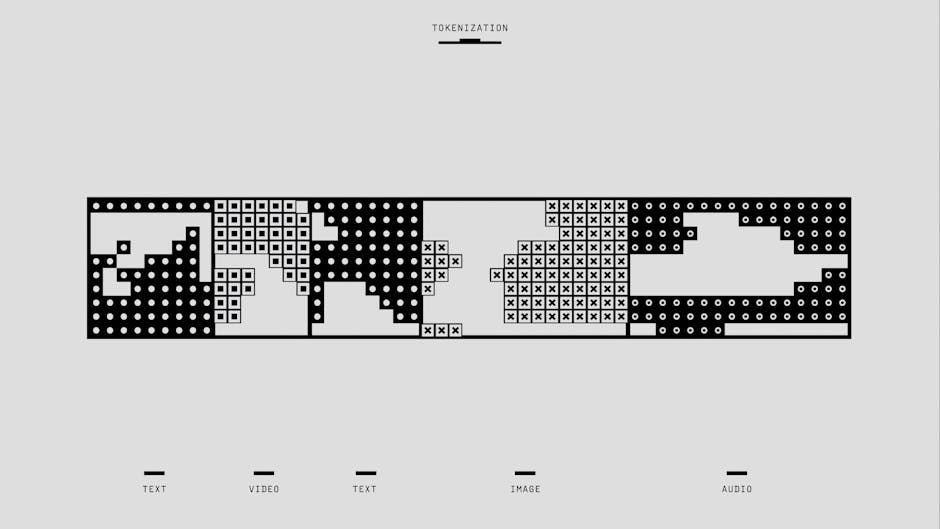
Algorithmic art isn't just generating images; it's about coding unique systems for creativity — think machine-building, not prompt-entry.
Learning algorithmic art as a beginner involves understanding how to write code that produces unpredictable and unique visual outputs.
You define the system; the system makes the image.
Unlike digital painting or photo editing, you're not drawing anything directly – the math does the mark-making, and your job is shaping the logic behind it.
In algorithmic art, hobbyists write and refine code using frameworks like Processing to generate visual artworks, adjusting parameters for position, size, color, and movement, then running the code to see immediate visual outputs and iterating on them for personal galleries or sharing.
This hobby fosters a flow state through immediate feedback from code changes, allowing for rapid iteration and creative control, while also providing a sense of accomplishment as users witness the transformation of simple rules into complex visuals, supported by community engagement for sustained motivation.
You assume algorithmic art is about typing a prompt and clicking 'generate'. But all you're doing there is using someone else's algorithm.
True algorithmic art involves writing code that makes creative decisions. It's not about describing art to a machine. It's about building the machine itself.
Algorithmic art isn't about removing the artist — it's about relocating the creativity. From a brush to rules you write. From output to authorship. What matters isn't the final image. It's the system is yours in a way no one else can replicate.
You don't have to be a programmer. A few dozen lines of beginner code can produce something irreplicable by hand — not because it's superior, but because it operates differently.
Consider Tyler Hobbs, who spent months crafting code simulating how ink moves through paper. The piece, Fidenza, sold for millions. It was Hobbs, not the computer, who decided the randomness — what to control and what to release.
That's the craft hiding beneath.
Your first actual session will make this concrete — and the first thing you write probably won't feel like art at all.
Algorithmic art looks stunning when viewing it. The reality of creating it is another story. Staring at unfamiliar code means confronting gaps in your understanding.
Coordinate systems can trip you up. The usual assumption is that you know (0,0) is the top-left corner, not the center. Remapping this will avoid a lot of confusion and off-screen surprises.
Failure usually involves both the code and the concept you're trying to convey. Your mind races — did the code glitch, or was the concept off? Most people quit here, but pushing past that confusion is exactly where the work starts paying off.
Most sessions involve trial and error. The first week's output is barely more than a circle, and that's fine.
By week two, borrowing others' work to understand the structure feels like cheating. It isn't — reverse-engineering someone else's sketch is one of the fastest ways to build fluency.
By week four, you'll have several unfinished projects and one you're genuinely proud of. The mess is part of the process. The mistakes that keep people stuck in the frustrating half are worth knowing before you hit them.
When to start: Morning
Duration: 1.5 hours
Cost to try: $10
Success criteria: if you finished without fully understanding all the code, do session 2.
New creators often apply random() everywhere because it feels like the essence of generative art.
Focus on a single variable to randomize while keeping others stable. This lets you understand the specific changes that variable drives.
Copy-pasting a noise function or a formula without knowing its result feels easier.
Identify what the function returns — a sine wave, gradient, or probability distribution. Explore the actual outputs to avoid meaningless tweaking.
Beginners often export what their screen shows, which falters when larger sizes are needed for prints.
Set the canvas to at least 3000px on the short side from the start. Larger resolutions must be planned beforehand.
Many start by mixing elements like flow fields and recursion, hoping more will impress more.
Master a simple rule until it surprises you. The magic often appears in the interaction of two simple systems, not a maze of complex ones.
If you save and share every render, you'll lose the ability to judge quality by never rejecting anything.
Run your sketch fifty times and keep only the top two. Curating actively sharpens your taste.
Algorithmic art is often created solo at your desk. But community thrives at creative coding meetups, digital fabrication labs, and university maker spaces.
Mention that you write code but are new to visual art. This signals you're not a total beginner and often attracts mentors instead of beginner advice.
Your scripts, usually in Python or Processing, generate images using a mix of rules and randomness. The surprising possibilities depend on your logic. Those familiar with coding find this offers a creative twist to their skills.
Using L-systems, you simulate natural forms like branches and coral with simple rules. This produces complexity from minimal input. Ideal for those who appreciate structure and have had enough of freeform chaos.
Shader art uses code running on the GPU to manipulate pixels, creating dynamic visuals. Tough to learn, but achieves fluid animations that static scripts cannot. Those with some coding skills looking for movement in art will find this rewarding. Explore with free resources like Shadertoy.com without needing a local setup.
RunwayML and Stable Diffusion integrate machine learning into art creation. It focuses on directing algorithms more than creating them. Great for those seeking rapid visual success without needing to control every code line.
Design on a computer, then a pen plotter brings your algorithmic art into the real world. The tangible result changes reactions entirely. Perfect for those who want art they can frame, sell, or hand to someone else. Expect a cost step-up—executing these designs with a plotter like the AxiDraw costs $500–$600.
Some of the same instincts show up in Screenwriting — worth a look if this clicked.
If you want a related angle, Bookbinding is the natural next stop.
If you want a related angle, Jewelry Making is the natural next stop.
Beginners often get lost in tweaking parameters and running code repeatedly. They're stuck making art by accident.
The real breakthrough is visual, not technical: recognizing structure before you even code it.
Learn to look at a piece and pinpoint what rule caused what effect. Not because it looks good — but because "this happened due to specific overlaps or iterations."
That's the shift from happy accidents to deliberate art.
Without this ability, you're stuck. Every interesting result feels like luck. Artists with a signature style catch this fast — those still chasing randomness haven't closed that loop.
The methods that build this skill — and break the randomness cycle — are what the next section is about.
Eight sessions over 30 days. Twice a week, each lasting an hour or less.
Algorithmic art has a strange learning curve. The first sessions feel like setup. Then comes confusion. Around session six, things start to render as intended.
If you're returning to the editor outside the planned sessions, even to try something mundane, that's a positive sign. This hobby is for those who tinker and ponder 'what if I change this one point.' Next, dive deeper into one generative system instead of juggling several.
If you finished all eight sessions feeling indifferent, that's a common issue to solve with a tool switch. Try a visual platform like TouchDesigner or Context Free. The change in approach might spark the interest that coding didn't.
If the sessions felt like a dreaded chore, take that as definitive. It's not about patience or skills — algorithmic art requires logic-driven screen time and frequent failure. If that felt like a punishment, it's not the hobby for you.
The undeniable sign: you see a generative art piece and instinctively wonder about its code, not vaguely but with specificity. If that question formed unbidden, you're already engaged in the hobby.
If nothing here clicks, our guide to what to do when bored covers shorter, lower-commitment options.
Python is the most beginner-friendly option, especially with libraries like Processing or p5.js for visual output. Many artists also use JavaScript, Processing, or specialized tools like TouchDesigner. Start with whichever language feels accessible to you—the concepts transfer across platforms.
You need a basic understanding of concepts like loops, coordinates, and geometry, but you don't need advanced mathematics. Most algorithmic artists learn the math they need as they go, building knowledge from experimentation rather than starting with theory.
A simple generative piece can take 2–4 hours if you know the tools, while complex works may take weeks or months. The time depends on your experience level, the complexity of your vision, and how much experimentation you do.
You only need a computer and free or low-cost software like Processing, p5.js, or Python. Most artists start with their existing setup—expensive hardware or specialized tools aren't necessary to begin.
Yes, algorithmic and generative art is increasingly recognized in the fine art world and commands significant prices, especially as NFTs or printed pieces. Many galleries and museums now feature generative artists, and collectors actively seek these works.
Yes—algorithmic art uses code to generate visuals based on mathematical rules and randomness, while traditional digital art is hand-created using tablets or design software. Algorithmic art introduces an element of unpredictability and allows artists to create complex patterns impossible to draw manually.