BoredomBusted — Find Your Next Favorite Thing To Do
Discover hobbies, activities, places, and ideas that spark joy. Whether you're looking for something creative, active, social, or relaxing, BoredomBusted helps you find your next favorite thing to do.
Browse our hobby guides, things-to-do collections, and place ideas to never be bored again.
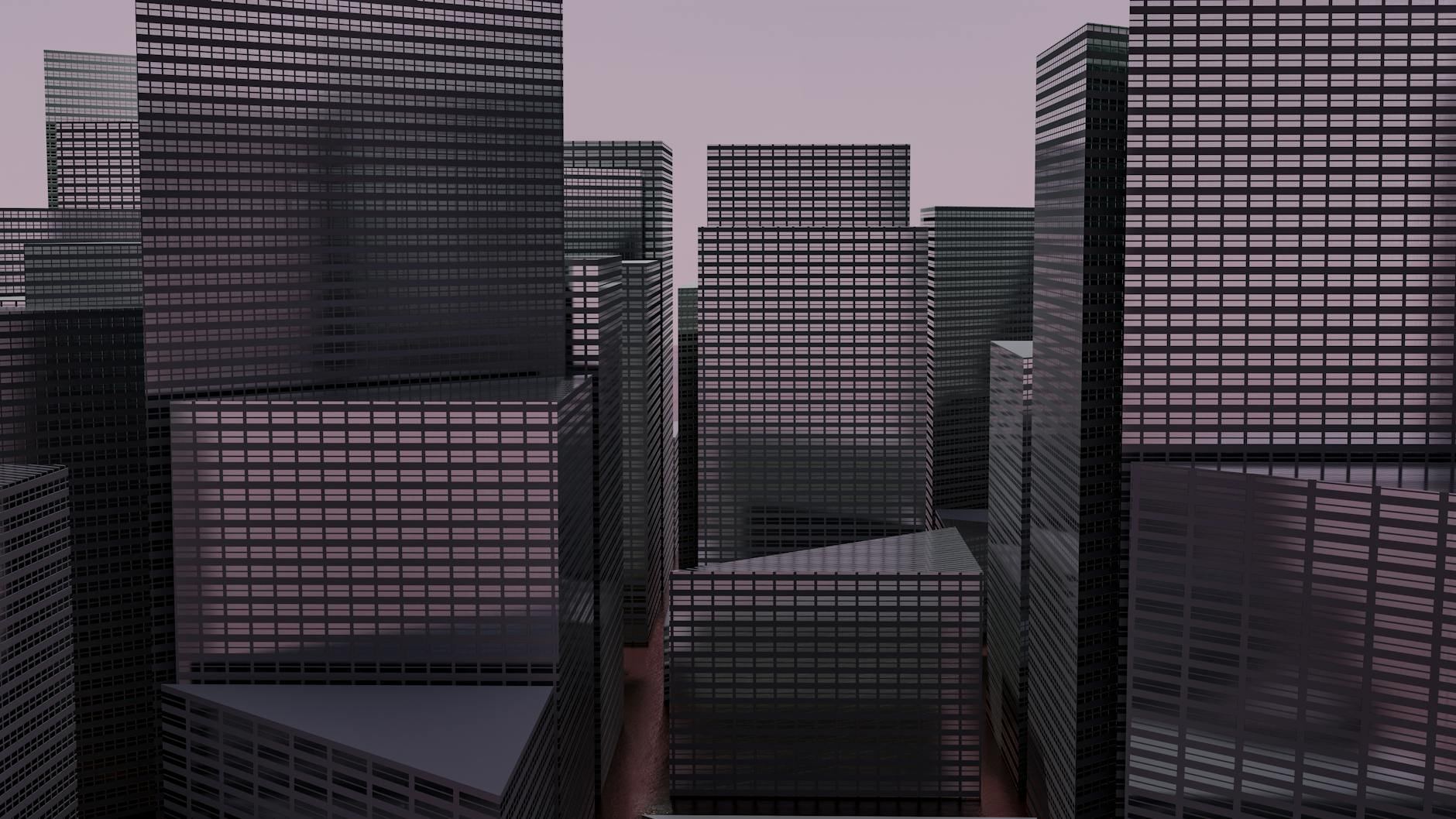
Digital Building isn't just for tech wizards — intuitive software now makes it an accessible creative outlet for anyone willing to learn.
Learning digital building as a beginner opens up exciting possibilities for creating intricate models and structures using intuitive software tools.
Construct virtual cityscapes or detailed replicas. This hobby challenges your imagination and boosts problem-solving skills
In Digital Building, you use software like Blender or Tinkercad to create 3D models by manipulating shapes, adjusting vertices, applying textures, and rendering final designs—engaging in focused activities that require both mental precision and technical skill.
This hobby induces a flow state through escalating challenges in 3D sculpting, provides instant skill feedback as you see real-time changes, and fosters creative expression while delivering a sense of accomplishment when you complete models, effectively combating boredom.
You think Digital Building is only for tech experts who know all the ins and outs.
Mike once thought the same, staring at complex structures and feeling out of place. But his first project was designing a simple park bench using SketchUp, a free tool for beginners. Now, he builds virtual campuses for fun. The skills came naturally once he started with smaller projects.
The real hurdle isn't the software. It's the belief that you need to be a pro to start. Even creating a simple chair can turn into a fulfilling challenge, with every new design adding a piece to your growing skillset.
That's the real draw here — a creative space where your small steps lead to big dreams.
Starting with Digital Building might feel disorienting. You're faced with a new interface full of unfamiliar tools. The process is similar to learning an instrument — only with more geometry and fewer notes.
Expect your early creations to look a bit chaotic. Lines won't line up, and shapes might clash. Consider this part of learning how the pieces fit together.
Once you grow more comfortable, you'll notice your projects starting to take shape. Completing your first model offers a unique sense of achievement.
When to start: Morning
Duration: 1.5 hours
Cost to try: $0
Success criteria: If you create a simple house from basic shapes, add at least one door and four windows, and save the project file, do session 2.
Ambition can trip up beginners. Big projects sound impressive, but tackling them without experience often leads to burnout. Start small, and you'll build confidence over time.
Beginners often want to speed past tutorials straight to advanced projects. This mindset leads to frustration when key tools are missing.Focus on mastering foundational skills — they unlock complex tasks later.
Impatience is the enemy of precision. Quick work often means sloppy models that don't fit together.Measure twice, click once to keep your models clean and accurate.
Software crashes happen, and they're brutal if you haven't saved.Make a habit of saving every few minutes to avoid losing hours of effort.
The Digital Building community is large and genuinely welcoming. Builders share tips, post works-in-progress, and give detailed feedback on finished projects.
Reddit and Discord host the most active communities. **Posting your first build in a relevant subreddit or Discord server gets you real feedback faster than any tutorial. Both platforms have dedicated spaces for tutorials and inspiration, and members range from first-timers to veterans who build daily.
Architectural modeling is your path. Focus on buildings and structures. Perfect for architecture lovers and those minded toward design.
Dive into game environment design. Turn visions into immersive, interactive spaces for video games. Suits gamers and developers.
Try product prototyping. Design models of products before production. Ideal if you're curious about the creation process.
Spatial awareness is pivotal in digital building. This skill lets you visualize how components fit together in three-dimensional space.
With strong spatial awareness, you can predict how changes to one part affect the entire model. This foresight is crucial for effective design decisions.
Regular practice enhances your ability to mentally manipulate objects. Do it enough, and it becomes effortless.
The upcoming section explores scenarios where spatial awareness gives you a major advantage.
Try committing to Digital Building for 30 days. If you love creativity and solving puzzles, this might be a perfect fit.
If you're hooked, every next project feels like a new adventure. Keep a journal of your projects and challenges for a satisfying look back.
If you feel indifferent, Digital Building can feel tedious. Try integrating smaller projects or collaborating with others to bring fresh perspectives before moving on.
If you dread every session, this signals a mismatch. Not all creative outlets suit everyone, and recognizing this is a step forward.
The one sign you shouldn't ignore: you're up late brainstorming new builds without realizing it.
Sometimes you just need something for the next ten minutes — that's what things to do when bored is for.
Popular options include Blender (free), SketchUp, Autodesk Fusion 360, or specialized tools like Revit for architectural modeling. Many beginners start with free or low-cost options to learn the basics before investing in professional software. Your choice depends on whether you want to create architectural designs, game assets, or general 3D models.
Basic skills typically develop within 2–4 weeks of consistent practice, allowing you to create simple structures. Intermediate proficiency takes 2–3 months, while mastering advanced techniques requires 6–12 months or more. Progress depends heavily on your practice frequency and prior experience with design or 3D visualization.
You don't need a high-end system to start, but a decent mid-range computer with at least 8GB of RAM handles most beginner projects. As you work on more complex models with detailed textures and large-scale structures, a stronger GPU and processor become beneficial. Laptops are viable, though desktop setups offer better performance for intensive 3D work.
Digital building typically focuses on creating structures, architecture, and environments with an emphasis on spatial design and realism. 3D modeling is a broader term that includes character design, object creation, and assets for various purposes. Digital building is often more focused on construction principles and functional design, while 3D modeling can be more artistic and varied.
You can start completely free using open-source software like Blender, making it one of the most budget-friendly creative hobbies. Optional paid tools and plugins range from $20–$600+ annually, but they're not necessary when learning. Your main investment is time rather than money, though a quality monitor or graphics tablet can enhance your workflow.
Yes, skills in digital building lead to careers in architecture visualization, game development, VFX, product design, and real estate marketing. Building a portfolio of your best projects is essential for freelancing or securing full-time positions. Many professionals start as hobbyists and transition to paid work once they've developed marketable skills.