BoredomBusted — Find Your Next Favorite Thing To Do
Discover hobbies, activities, places, and ideas that spark joy. Whether you're looking for something creative, active, social, or relaxing, BoredomBusted helps you find your next favorite thing to do.
Browse our hobby guides, things-to-do collections, and place ideas to never be bored again.
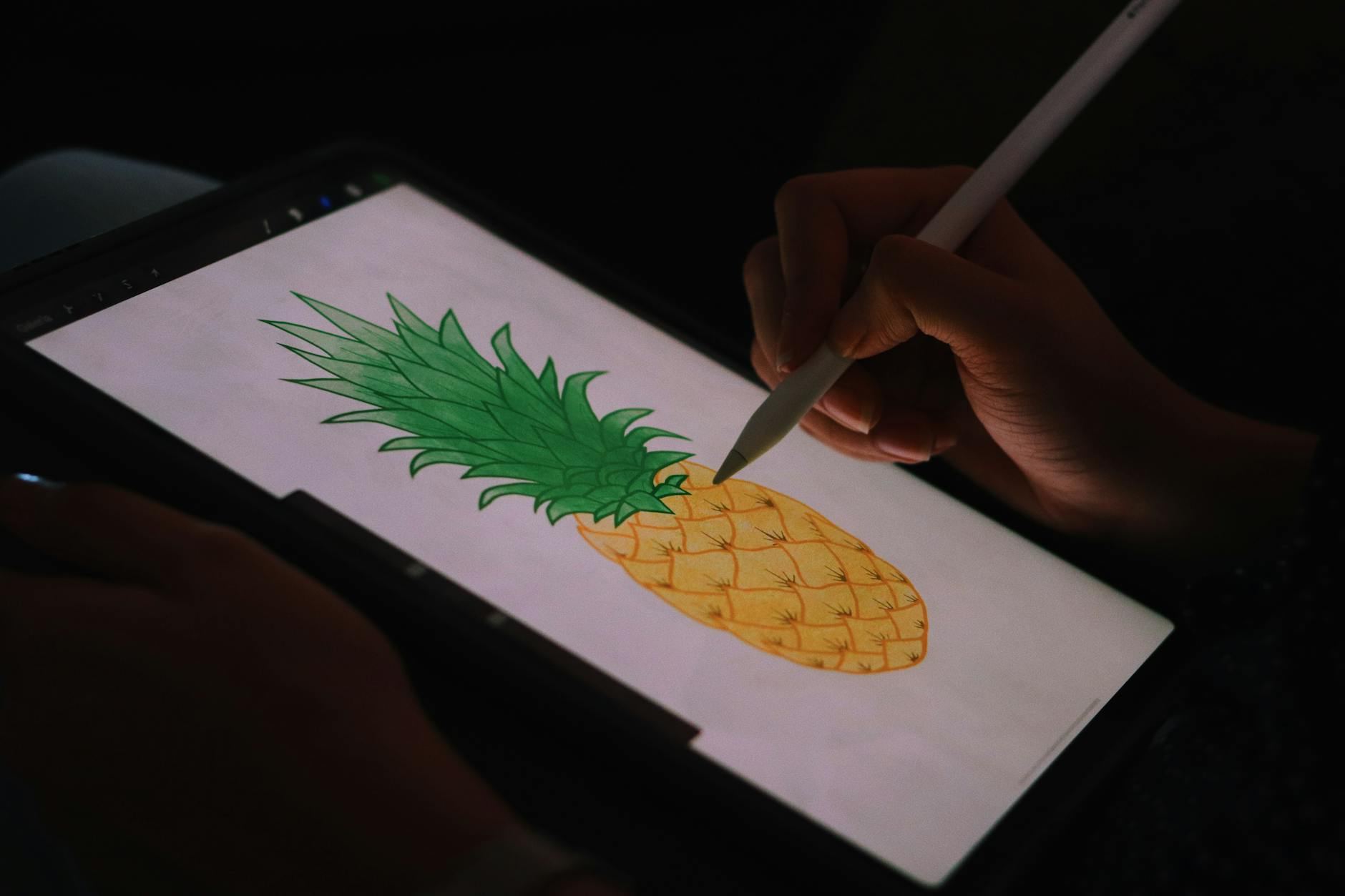
Digital art demands as much skill as traditional techniques — it doesn't shortcut the learning, it amplifies the need for intentional decision-making.
Getting started with digital art as a beginner can feel like stepping into a world of limitless creativity and expression. You open a blank canvas, choose your brush, and start creating with a stylus or mouse.
Mistakes vanish with an undo, layer colors effortlessly, and play with opacity until your art feels right.
Programs like Photoshop, Procreate, or Krita let you work with pixels, vectors, or even 3D models. Each offers endless possibilities for illustrations, animations, and designs.
Focus on mastering one tool—it's more effective than bouncing between many. Fearless experimentation becomes possible when you know your software.
In digital art, you use a tablet and stylus with software like Photoshop or Procreate to create artwork, starting from a blank canvas by sketching, layering shapes, applying colors, and refining details through iterative adjustments. You work layer by layer, adjusting opacity and brush settings to build depth and texture, while practicing techniques that mimic traditional brushwork without the me…
Digital art induces a flow state through its low-friction, iterative process that allows for immediate visual feedback and skill development. This immersion fosters a sense of accomplishment as you progress from rough sketches to finished pieces, while the creative freedom keeps sessions engaging and novel.
Digital art isn't a shortcut — it's a fundamentally different medium with its own technical demands. A Photoshop brush isn't a magic eraser that bypasses skill. It requires understanding color theory, composition, and anatomy just as rigorously as traditional media.
Digital tools make mistakes reversible and iterations instant. That actually forces you to be more intentional about decisions, not less. You're not using technology to avoid the hard part — you're using it to focus entirely on the hard part.
In the first twenty minutes, you're just figuring out where everything is. The brush tool hides three menus deep, and your tablet pen feels both light and strange. The cursor lags, causing your line to appear half a second after you intended.
Your first mark won't match what you imagined because indirect sight lines scramble muscle memory you didn't know you had.
But discovering undo changes everything. Suddenly, you're free to erase and experiment without fear of messing up. Paint over mistakes immediately, feeling reckless in a way pencil never allowed.
When to start: Morning
Duration: 1 hour
Cost to try: $0
Success criteria: if you finished without overthinking your artwork, do session 2.
Small canvases feel manageable — until you try to add detail and everything turns to mush. Scaling up after the fact destroys image quality.
Start at 1920x1080 pixels minimum for screen work. For anything you might print, use 2000x1200 at 300 DPI.
Beginners assume drawing from memory proves skill. It doesn't — it just reinforces bad habits and invented anatomy.
Use real-world references every time, without exception. Form, anatomy, and composition all improve faster when you're looking at something real.
When everything is detailed, nothing stands out. The eye has nowhere to land, so the whole piece feels busy and unresolved.
Pick one focal point and push detail there. Keep surrounding areas simpler so they support the focal point instead of competing with it.
Painting everything on one layer is the digital equivalent of working in permanent marker. One wrong stroke and you're repainting half the piece.
Learn layers before anything else. Then add line stabilizers and canvas flipping — both are free in Krita and Clip Studio Paint and will change how you work immediately.
A $50 brush pack won't fix a shaky understanding of light and shadow. The tool doesn't know what good art looks like — you have to.
Spend your time on lighting, color theory, and composition first. Better brushes matter eventually. They just don't matter yet.
Supernoobs Creative Club on Discord is packed with thousands of artists across various fields and hosts a marketplace for commission work.
For nuanced feedback and lessons in concept art, head to ConceptArt. Anime enthusiasts should check out Asagao for a chilled vibe and auction events.
ArtStation is essential if you're serious about digital art—perfect for showing your work in animation and 2D/3D formats. Behance offers excellent portfolio visibility and is a regular haunt for creative inspiration.
For learning from established artists, YouTube channels like Drawingwiffwaffles, Jenna Rainey, and SuperRaeDizzle provide massive resources.
When introducing yourself, mention your specific artistic interests like digital painting or 3D modeling.
Showing genuine enthusiasm always gets a positive response. Be open to feedback to demonstrate your willingness to grow.
Digital painting lets you use brushes and tools that mimic traditional mediums. Whether you're into watercolors or oils, this style offers real brush dynamics and textures. Ideal for artists transitioning from physical to digital canvases.
Vector art uses mathematical formulas to create infinitely scalable images. This makes it perfect for logos, icons, and branding where clarity at any size matters most.
Pixel art is created one pixel at a time on a grid. It's a favorite among retro and indie game developers for its nostalgic and technically efficient style.
3D art and CGI let artists create photorealistic or stylized environments. Essential in game design, film, and animation for controlling lighting and perspective.
Digital collage blends photographs, drawings, and text into abstract pieces. Techniques include photomontage and pop art, perfect for creating surreal compositions.
Readers who enjoy this often gravitate toward Strings next.
A close neighbor worth considering: Needlepoint.
If you want a related angle, Textile Crafts is the natural next stop.
Seeing and correctly placing light and dark values is the real skill to master.
Most beginners get lost in details and lines, missing what truly matters.
Value structure makes an image readable and compelling, even from a distance. Instead of perfecting every detail, focus on this skill to make everything else click—color, composition, and more.
This hobby is for you if you: - You'd rather spend three hours tweaking a shadow than talking about the finished piece - You get genuinely excited about new software features or brush packs - You can sit alone with a blank canvas for extended periods without feeling restless or bored It's probably not for you if: - You need immediate, tangible results—digital art has a steep learning curve before things look intentional - You prefer hobbies where the barrier to entry is physical (paint, clay) rather than mental (learning UI, shortcuts, file formats)
Popular beginner-friendly options include Krita and GIMP (both free), Procreate (iPad, ~$13), or Clip Studio Paint (affordable subscription). You don't need expensive software to start—free tools have professional-grade features. Choose based on your budget and whether you prefer desktop, tablet, or both.
You can start completely free using open-source software like Krita or GIMP on your existing computer. If you want a tablet, budget $50–$150 for a basic drawing tablet or $300+ for an iPad. The minimum investment is zero; quality gear is optional as you develop your skills.
No, you can start with a mouse and keyboard using digital painting software, though a tablet makes the experience more intuitive and enjoyable. A tablet is an investment for later; focus on learning fundamentals first with whatever device you have.
Basic skills develop in 2–4 weeks with consistent practice, while proficiency takes 6–12 months of regular work. Building a personal style and mastery continues over years. Progress depends heavily on practice frequency and effort, not just time spent.
Digital art has a different learning curve—the fundamentals (composition, color, anatomy) remain the same, but software tools take time to master. Many artists find it easier once comfortable with the interface, and mistakes are infinitely easier to undo compared to traditional media.
Focus on drawing fundamentals (shapes, perspective, anatomy) through daily sketching and reference studies rather than chasing advanced features. Join online communities for feedback, follow tutorials on your specific weak areas, and create regularly rather than perfecting single pieces.